


Vibe Reads
2.917.00 Reviews
App Specs
- Version
- 1.0.8
- Updated On
- License
- Free
- Downloads
- 10,000+
- Developer
- neustar
- Categories
- Books & Reference
- Platform
- Android
Screenshots
 Analysis by AppCompare
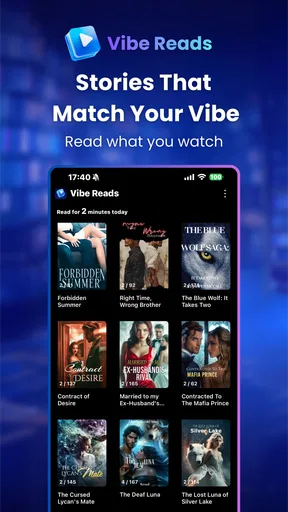
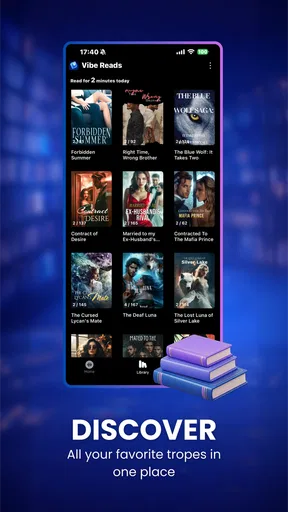
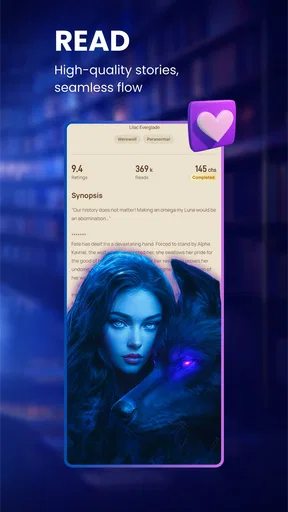
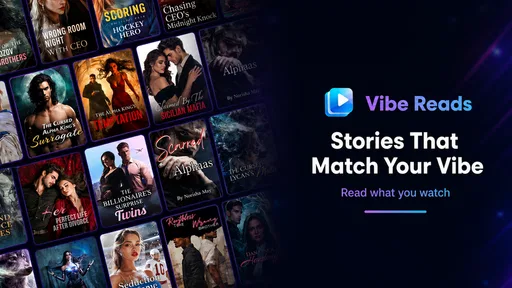
I approached Vibe Reads as a reading app first and an entertainment experiment second. Its focus sits in the Books & Reference category, but the name points to a combination of novels and AI-made reels rather than a traditional digital bookshelf. That mix gives it a different feel from a standard e-reader: the app is designed to put short, visually oriented discovery beside longer-form reading.
My first impression is that this is best understood as a place to browse for a reading mood. If I already know the exact book I want, a conventional ebook app is usually more direct. If I want to be surprised by a story idea, sample fiction, or scroll through AI-assisted visual content before deciding what deserves my attention, the concept becomes more interesting. The experience is still relatively early, though, and its modest reception suggests that not every reader will find the balance between reading and reels convincing.
How Vibe Reads fits into everyday reading
The app is developed by neustar and is free to install. That makes trying it straightforward, especially for someone curious about the novel-and-reel format but unwilling to commit to a subscription before understanding the experience. The free entry point is important here because the app is not competing only with other reading services; it is also competing with free social feeds, public-domain libraries, and familiar ebook platforms.
There are in-app purchases ranging from $0.99 to $129.99 per item. I would therefore treat the free installation as an opportunity to inspect the app, not as proof that every part of the catalog or every useful action will remain free. The sensible approach is to use the free portion first, understand what the paid items unlock, and only then decide whether a purchase fits the way you read. A low-cost item and the highest listed purchase represent very different spending decisions, so I would not judge the app’s value from the word “free” alone.
The app carries a Mature 17+ rating. That matters for families and for anyone expecting children’s fiction simply because the product belongs to a book category. I would check the material personally before sharing a device or recommending it to a younger reader. The age label also changes how I interpret the reels: they are not automatically harmless promotional clips just because they are short or AI-assisted.
On Android, the listed minimum requirement is version 6.0, which covers a broad range of devices. The current release is version 1.0.8. I would still keep expectations realistic on an older phone: a reading interface may be comfortable, while reel-style visual content can feel less pleasant on a small or aging screen. The app has passed the threshold for a basic Android installation, but compatibility alone does not guarantee that every part of the experience will feel equally smooth.
What the free starting point actually means
For me, the strongest financial reason to try Vibe Reads is the ability to explore its identity before spending. A free start lets a reader decide whether AI reels genuinely help with discovery or merely interrupt the reading mood. That is a useful test because the app’s value depends heavily on personal habits. Someone who enjoys browsing may find the format engaging; someone who opens a reading app to disappear into a novel may see the same format as noise.
Worth Reading Before You Choose

Flipboard Shows What News Apps Must Do Beyond the Feed

Switching to Android Auto Means Rethinking Your Driving Routine

Google Calendar Makes a Crowded Week Easier to Manage

Ludo King Makes the Most of the Minutes Between Plans

Baby Panda World Brings Quick Play to Modern Phones, but Its Game Library Feels Busy

ESPN’s Live Game View Makes Following Close Games Easier
I would avoid making a purchase during the first few minutes. Instead, I would look at how much reading I can do without paying, whether the available material feels substantial enough for my interests, and whether the paid items solve a real problem. If a purchase only adds another way to browse, it may not be worth it for a focused reader. If it provides access to a story I would actually finish, the calculation is different, but that decision should come after testing the free experience rather than before it.
The broad purchase range also means that “good value” cannot be reduced to a single verdict for everyone. A person who reads occasionally may be comfortable with a small one-off purchase. A heavy reader should compare the total cost of repeated purchases with a familiar ebook store or subscription service. Since the app’s appeal is partly its unusual presentation, I would pay for a specific story or useful access, not simply for the novelty of the interface.
Reading alongside AI reels
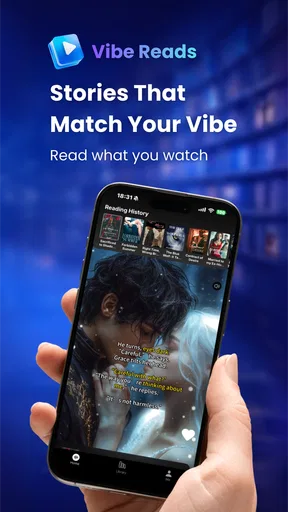
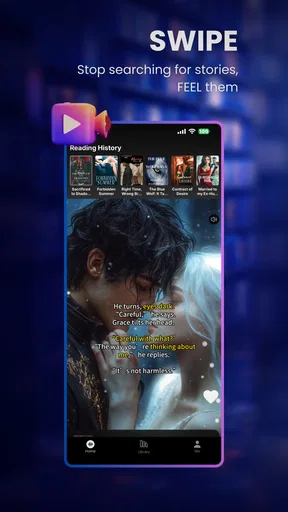
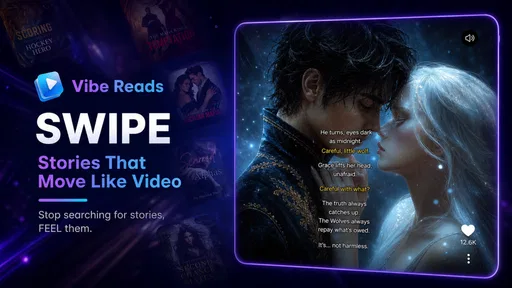
The most distinctive idea here is the pairing of novels with AI reels. In practical use, I see those reels working best as a discovery layer. A short visual prompt can help me decide whether a story’s atmosphere interests me before I invest time in a longer passage. This is especially useful when I am between books and cannot explain exactly what I want, but I can recognize a mood, setting, or dramatic tone when it appears.
There is a trade-off. A reel can suggest a feeling without representing the full quality of the writing. It may also encourage quick judgments about a novel that needs patience. I would use the reels as a filter, never as a substitute for reading a meaningful sample. The practical workflow is simple: browse briefly, save the story ideas that genuinely catch my attention, then leave the visual feed and give the text a quiet session. That separation helps prevent the short-form format from deciding everything for me.
AI-generated presentation can also create a gap between expectation and reality. A striking image or fast sequence may promise a particular tone, while the novel develops in a slower or more nuanced direction. I consider that a reason to treat the reel as packaging rather than evidence. Readers who care most about prose, translation quality, continuity, or careful editorial selection should judge the written material directly.
A realistic way to use it during the week
Imagine that I have ten minutes on a commute and no idea what I want to read that evening. I could use Vibe Reads to browse the reels, identify one or two promising concepts, and make a mental shortlist. Later, at home, I would return to the text instead of continuing to scroll. That makes the app useful as a lightweight discovery tool without allowing the reel format to consume the time I intended to spend reading.
Another practical routine would be to use it after finishing a novel. Rather than searching by a precise title or author, I could browse for a new atmosphere and then test a story at a calmer pace. This is where the app may offer something a conventional library app does not emphasize: it begins with visual and emotional discovery instead of a purely catalog-based search.
For a student or reference-focused reader, however, the benefit is less obvious. The category label may suggest research material, but the product’s stated identity is centered on novels and AI reels. I would not choose it as my main tool for textbooks, citations, serious note-taking, or a carefully organized academic library. A dedicated reference app or ebook reader is likely to be more efficient for those jobs.
Where the experience can become frustrating
The central weakness is the possibility of distraction. Reading and short-form video ask for different kinds of attention. One encourages immersion and continuity; the other rewards rapid movement and immediate visual impact. If I open the app intending to read and repeatedly end up browsing reels, the design is working against my original goal. A reader who values a quiet, uninterrupted page may prefer an app that keeps discovery and reading more clearly separated.
There is also a quality-control question that comes with AI-assisted content. Visual polish can make an idea look more finished than it is, and automated creative material may not match every reader’s expectations for originality or consistency. I would be selective rather than assuming that every reel is a reliable recommendation. The app is more appealing when I treat the AI layer as an exploratory tool, not as an editorial authority.
The average rating is 2.9 from around thirty ratings, with around twenty written reviews. That is a small pool, so I would not use it as a definitive judgment, but it is enough to encourage caution. I would install the app because the concept interests me, not because the public response currently gives me strong confidence. The free starting point reduces the risk of testing it, while the purchase options make it important to understand the experience before spending.
Another limitation is the challenge of comparing it with established alternatives. A conventional ebook store is usually better when I need a specific title, dependable purchasing history, or a familiar reading workflow. A library app is a better fit when borrowing and catalog search are my priorities. A social reading platform may be stronger for discussion and community. Vibe Reads makes the most sense when discovery through visual mood is part of what I want, not when I simply need the shortest path to a known book.
Who is likely to get real value
I can recommend trying it to readers who often say, “I want something new, but I do not know what.” The reels provide a starting point for that uncertainty. It may also suit people who enjoy experimental formats and want their fiction browsing to feel more visual than a list of titles and covers. The free installation gives these users room to test whether the unusual format feels helpful rather than intrusive.
It is also potentially useful for a reader who collects ideas in small moments. A short break, a waiting room, or a commute can become a discovery session, while the actual reading happens later. The key is to create a boundary between finding a story and consuming the feed. Without that boundary, the app can turn reading time into browsing time.
I would be more cautious recommending it to someone who already has a large, organized ebook library. That reader may gain little from another discovery layer unless the AI reels reveal material that existing tools consistently miss. I would also steer younger users toward an app with an age rating suited to them, and I would not make this the first choice for family reading without checking the content personally.
People who dislike AI-generated media should probably skip it. Even if the written stories appeal to them, the app’s identity is tied to the combination of novels and AI reels, so the visual layer is not a minor detail. Likewise, readers who want precise reference features, deep annotation, or a distraction-free book reader will likely be happier elsewhere.
How I would decide whether to spend
My advice is to begin with a free trial of the experience in the everyday sense: install it, browse enough to understand the reel-to-novel flow, and read rather than merely watch. I would then identify whether the app gives me access to stories I genuinely want. If I keep returning to the same material and a purchase clearly supports that reading habit, a paid item may make sense.
I would not buy simply because a reel looks impressive. I would also avoid assuming that the most expensive purchase is the best deal; the listed range is too wide for that conclusion. Compare each item with what you would pay for the same amount of reading elsewhere, and consider whether the app’s discovery format adds value that a standard ebook store does not. Novel presentation is valuable only when it leads to reading I enjoy.
That approach answers the practical questions most people have before installing. Yes, the app is free to start, but purchases are present. Yes, it is aimed at fiction discovery, but it should not replace a reference library. Yes, the reel format can help when I need inspiration, but it can also distract me. And yes, it is available for older Android versions, although the visual side may be more demanding in feel than a plain text reader.
My final recommendation
Vibe Reads is worth a cautious try for curious fiction browsers, especially those who like discovering stories through atmosphere and short visual pieces. Its free entry point makes experimentation reasonable, and its combination of novels with AI reels gives it a clear identity rather than making it another ordinary bookshelf.
My recommendation becomes much weaker for focused readers, academic users, families seeking age-neutral material, and anyone who dislikes AI-generated presentation. The current average rating of 2.9 also tells me to keep expectations measured. I would use it as a discovery companion, not as my only reading app.
In the end, the value depends on whether the unusual format helps me find books I would otherwise miss. If it does, a carefully chosen purchase can be worthwhile. If I spend more time scrolling than reading, or if I only want a known title in a clean reader, I would skip the paid options and choose a more traditional alternative. That is the fairest way to approach neustar’s app: enjoy the experiment for free first, then pay only when the reading itself—not the novelty—earns the decision.
Pros
- Clean
- distraction-free interface makes browsing feel comfortable.
- Personalized recommendations help surface books matching your interests.
- Reading lists make it easy to organize titles for later.
- Smooth navigation keeps moving between book details and lists simple.
- Useful discovery tools encourage finding lesser-known authors and titles.
Cons
- The catalog may feel limited for readers seeking niche or older books.
- Recommendation quality can vary until the app learns your preferences.
- Some features may require creating an account before they work fully.
- Book information may differ in depth depending on the title or publisher.
- Users may encounter occasional loading delays on slower connections.
FAQs for Vibe Reads
What is Vibe Reads, and what can I use it for?
Vibe Reads is a reading-focused app designed to help users discover, organize, and enjoy written content in a more personalized way. Depending on the available catalog and features, you may be able to browse recommendations, save interesting titles, track your reading progress, and interact with curated content. It is best suited to readers who want a convenient mobile space for finding and managing books or reading material.
Is Vibe Reads free to download and use?
Vibe Reads may be available as a free download, but some features, titles, or content could require in-app purchases, a subscription, or access through a particular account. Before downloading, check the app store listing for the current pricing model and review any trial terms carefully. Also confirm whether subscriptions renew automatically and how cancellation works on your device.
Do I need to create an account to use Vibe Reads?
An account may be required for features such as saving books, synchronizing reading progress, receiving personalized recommendations, or accessing your library across devices. Some basic browsing functions might be available without registration, although this can vary by version. If you prefer not to share personal information, review the sign-up requirements and privacy policy before completing the registration process.
Can I read content offline with Vibe Reads?
Offline reading depends on how Vibe Reads handles its content and on the specific title or feature you are using. If downloads are supported, you will generally need an internet connection initially to save material to your device. Offline access may also be limited by licensing rules, storage space, or subscription status, so it is worth testing downloaded content before traveling or reading without reliable internet.
Is Vibe Reads suitable for children and younger readers?
Vibe Reads may contain content intended for different age groups, so suitability depends on the available catalog, recommendations, and account settings. Parents should review the app’s age rating, privacy practices, advertising policy, and any parental-control options before allowing a child to use it. It is also advisable to check whether users can communicate publicly or access externally linked content.


